 Kick Ads
Splash ads, out of your way
Open an app.
Wait 5 seconds for an ad?
Countdowns, tiny skip buttons, and one wrong shake that throws you into a shopping app. Kick Ads watches the corner of the screen for you and taps “Skip” the moment it appears.
Runs on your phone · Requires enabling an Android accessibility service manually · Not every ad can be skipped
How ads get in your way
Waiting, every single time
You just want a map or a video, but a 3–5 second splash ad blocks the door first.
Skip buttons hide in corners
Small, off to the side, with a ticking countdown. You have to find it and aim.
One slip and you’re gone
“Shake”, “twist”, “tap for details” — one wrong move and you land in another app.
Do the maths: open apps with splash ads 20 times a day, wait 5 seconds each time, and that’s 100 seconds a day — 50 minutes a month.
Kick Ads taps “Skip” for you
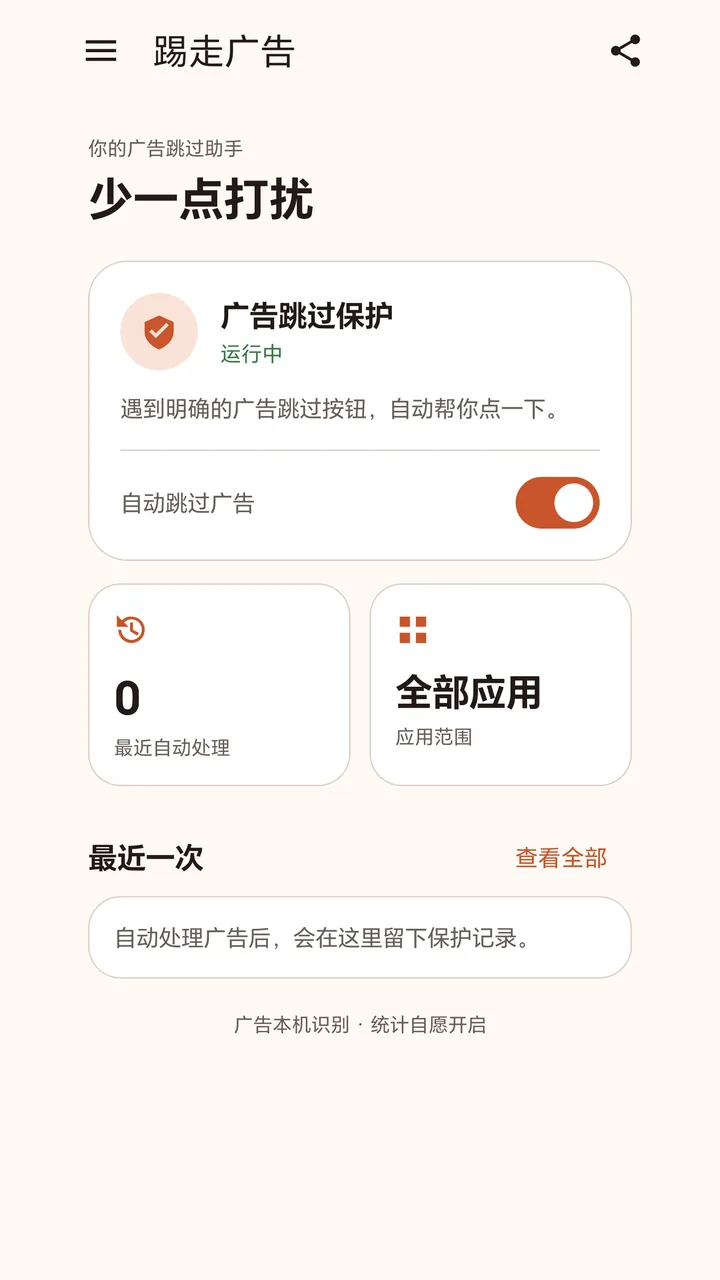
Once enabled, Kick Ads looks for clearly labelled “Skip”, “Skip Ad” and countdown buttons while an app starts, taps them, and shows a brief confirmation at the top of the screen.
- Understands skip buttons with the countdown before or after the label
- Choose which apps it works in, and exclude any app with one tap
- Closes promotional pop-ups (experimental, off by default)
- Keeps your last 50 actions, stored only on your phone
Use it with confidence
Your screen stays on your phone
No screenshots, and no uploads of screen content, other apps’ package names or activity records. Analytics is off by default. Privacy policy
Only the right buttons
It only taps clear skip and ad-close buttons, never on screens with text or password fields, or buttons mentioning sign-in or payment.
Stop any time
Pause with one tap, or turn off the accessibility service in settings. Some ads can’t be recognised — see the FAQ.